Checking your Airtel data balance is important if you want to manage your internet usage and avoid running out unexpectedly.
The good news is Airtel offers three easy ways to check your data balance: using a USSD code, sending an SMS, or checking through the My Airtel App. In this blog, you will learn how each method works, when to use it, and which option is best for your situation. Let's get into it!
Three Different Methods to Check Your Data Balance on Airtel
1. Use USSD Code to Check Airtel Data Balance
The easiest way to check your Airtel data balance is by dialing a USSD code. This method works on all phones and does not require internet access.
The USSD code to check Airtel data balance is *323#. This is a unified USSD code used by all major network service providers in Nigeria, making it a reliable and fast option.
Steps to use it:
- Open your phone’s dialer.
- Dial *323#.
- Your Airtel data balance will be displayed on the screen instantly.
Alternative Airtel USSD Code: *121#
Steps:
- Dial *121# on your Airtel line.
- Select the option for “Data Balance” or “My Account.”
- Your remaining data balance will appear on the screen.
If after checking the data balance, you find out you are running low, you can buy a new data plan using the Tbay gift card trading app easily.
2. How to Check Airtel Data Balance via SMS
You can also check your Airtel data balance by sending a simple text message. This option is useful if USSD codes are not responding.
SMS Method:
Send BAL or INFO to 127
After sending the SMS, Airtel will reply with a message showing your current data balance and validity period.
3. Use the My Airtel App to Check Data Balance
If you have internet access, the My Airtel App provides the most detailed view of your data usage.
Steps to check via the Airtel App:
- Download and install the My Airtel App from the Google Play Store or Apple App Store.
- Log in using your Airtel number.
- Your data balance will be displayed on the dashboard immediately.
The app also allows you to track data usage, buy new data plans, and manage your Airtel account easily.
Which Method to Check data balance on Airtel is the best?
The best method to check your Airtel data balance depends on your situation.
1. USSD code (323# or 121#) is the best option if you want a quick check and do not have internet access. It works on all phones and gives instant results.
2. SMS (BAL or INFO to 127) is useful when USSD codes are not responding or when you prefer getting your balance as a text message.
3. My Airtel App is the best choice if you want more details. It shows your remaining data, data validity, and usage history, but it requires an active internet connection.
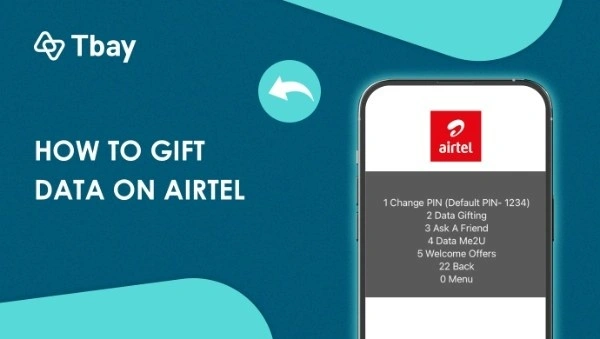
For most users, USSD remains the fastest and most reliable method, while the Airtel App is ideal for full account management. Once you know your data balance, you can also share your Airtel data with friends.
Important Things to Know About Checking Airtel Data Balance
Before checking your Airtel data balance, there are a few useful points you should keep in mind.
1. Works for both prepaid and postpaid users: All the methods explained above, USSD, SMS, and the My Airtel App, work for both Airtel prepaid and postpaid lines.
2. No internet needed for USSD and SMS: You can check your data balance even when you have no active data connection.
3. USSD codes are free: Dialing *323# or *121# does not deduct airtime from your balance.
4. Balance updates instantly: Your data balance is shown in real time, so you always get the most accurate information.
5. Multiple data bundles may appear: If you have more than one active data plan, Airtel may display each bundle separately with its expiry date.
6. App shows more details: The My Airtel App provides extra information such as data usage history and validity period, which may not appear via USSD or SMS.
Why Should You Check Airtel Data Balance Regularly?
1. Checking your Airtel data balance helps you avoid running out of data suddenly, especially when you are in the middle of browsing, streaming, or working online.
2. It allows you to plan how you use your internet, so you can decide whether to stream videos, download files, or save your data for later.
3. By checking your data balance on Airtel regularly, you know exactly when it is time to buy a new data plan instead of guessing.
4. If you have more than one active data bundle, checking your balance helps you track each plan separately and understand which one will expire first.
5. For postpaid users, checking data balance is useful to monitor usage and avoid extra charges at the end of the billing cycle.
Checking your airtime balance is equally important, you can read more about how to check your Airtel airtime balance in this blog.
FAQs
1. How do I check my remaining data on Airtel?
You can check your remaining Airtel data balance by dialing *323# on your phone. Your data balance will appear on the screen instantly. You can also check by sending BAL or INFO to 127, or by logging into the My Airtel App if you have internet access.
2. What is the Airtel code for data?
The USSD code to buy Airtel data is *312#. However, the code to check your Airtel data balance is *323#. Both codes are free to use and work on all Airtel lines in Nigeria.
3. What data plans are available on the Airtel network?
Airtel offers a wide range of data plans, including daily, weekly, monthly, and long-term bundles for different budgets and usage needs. To see the latest and most affordable options, you can read our detailed guide on the best and cheapest Airtel data plans in Nigeria.
4. Can I borrow data if I’m running low?
Yes, Airtel allows eligible users to borrow data when their balance is low through the Airtel Data Loan service. If you qualify, the borrowed data will be deducted from your next recharge. You can learn how it works step by step in our guide on how to borrow data from Airtel in Nigeria.
Join us now
Email: [email protected]
Website: https://tbay.store
Facebook: Tbay
Tbay App: Google Play Store & App Store