If you're a gaming enthusiast, chances are you're already familiar with the world of Steam. But did you know that even the most avid Steam users sometimes overlook a crucial aspect of their gift card management: checking their Steam gift card balance? Keeping track of your Steam card balance helps you budget your gaming purchases effectively and avoid any surprises during checkout. In this blog, we’ll walk you through the easiest and most reliable methods to check your Steam gift card balance, so you’re always in control of your spending. Let's start!

Different Types of Steam Gift Cards
Before we start exploring how to check your Steam card balance, it’s important to familiarize yourself with the types of Steam gift cards available. Steam offers two main types of gift cards: physical cards and digital codes.
Physical Steam Gift Cards:
These are tangible cards you can purchase from retail stores. They often make great gifts for gamers, as they come in varying denominations and allow flexibility based on your budget. Physical cards usually have a scratch-off panel on the back, revealing a unique code that can be redeemed on Steam.
Digital Steam Gift Cards:
Digital gift cards, on the other hand, are perfect for instant gifting. They can be purchased online through the Steam platform and sent directly to the recipient's account. These digital cards are available in fixed denominations and are convenient for last-minute presents or quick top-ups for your Steam wallet.
How to Redeem Your Steam Gift Card?
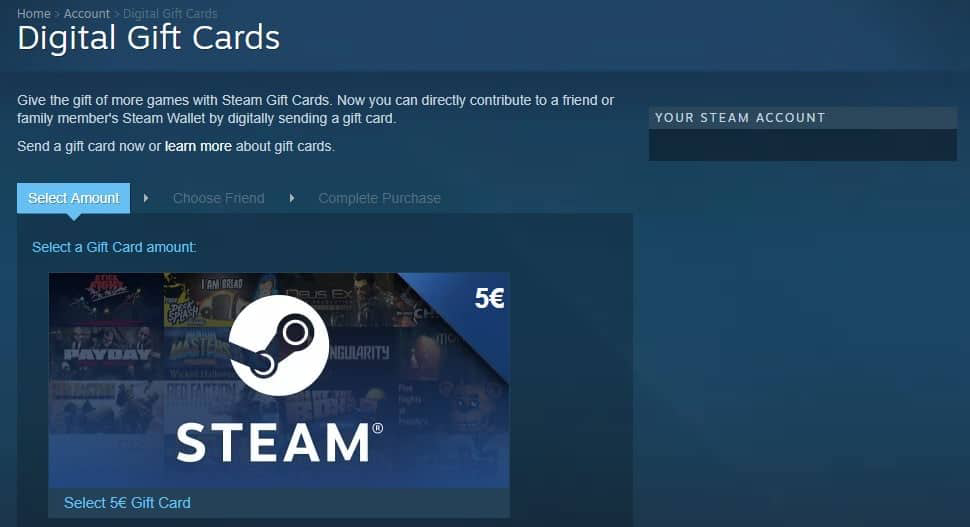
Once you have bought or received a Steam gift card, the first thing you need to do is to add it to your Steam wallet. The easiest thing to do would be to access this link https://store.steampowered.com/account/redeemwalletcode . You can find this page after logging into your Steam account and selecting Add funds to your Steam Wallet. Lastly, choose Redeem a Steam gift card or wallet code to reach the same page. Once here, all you have to do is provide the code and your funds will be added to your Steam Wallet.
How to Check Steam Card Balance on their Website?
Now, coming to the main question of checking Steam gift card balance, here are the simple steps that you will have to do to on the website.
1) Start by logging into your Steam account using your credentials.
2)Once you're on the homepage, locate your username in the top-right corner of the screen and click on it.
3)A drop-down menu will appear: select the "Account Details" option.
4)On the Account Details page, you’ll find your Steam Wallet balance displayed clearly.
Simple Method to Check Steam Gift Card Balance through Steam Mobile App
If you’re always on the go, the Steam mobile app is the perfect way to keep track of your Steam Wallet balance. Follow the simple steps outlined below:
Download and Install the App
If you don’t already have it, download the Steam mobile app from your device's app store. It’s available for both Android and iOS.
Log In to Your Steam Account
Open the app and log in using your account credentials.
Navigate to Your Account Details
Once logged in, tap the menu icon (usually located in the top-left corner). From the dropdown menu, select "Account Details."
View Your Wallet Balance
On the Account Details page, your Steam Wallet balance will be displayed, showing the remaining funds from your gift card or other transactions.
Other Alternative Ways to Check Balance on Your Steam Card
While the Steam website and mobile app are the most popular and easiest methods to check your Steam gift card balance, there are a few other ways to get the job done if those options aren't convenient for you.
Contacting Steam Support
If you’re having trouble accessing your account or need additional help, you can reach out to Steam Support. Simply visit their support page, log in, and submit a query under the "Steam Wallet" section. Mention your gift card details, and they’ll assist you in retrieving your balance.
Check Via Third-Party Retailers
If you purchased your Steam gift card from a third-party retailer, some retailers offer balance-checking services for gift cards sold through their platform. Check the retailer's website or contact their customer service to see if this option is available.
Steam Balance Inquiry at Partner Stores
If you bought a physical Steam card from an authorized partner store, some stores may assist you in checking the card balance at the time of purchase or later. Simply bring your receipt and card to the store and ask if they provide this service.
Email Confirmation for Digital Codes
For digital Steam cards, check your purchase confirmation email. The email may include details about your balance or provide a link to redeem or check it directly.
Can You Redeem a Steam Gift Card for Cash?
Steam gift cards are undoubtedly a treasure for gamers. They also hold a very high resale value in Nigeria which makes them equally valuable in the gift card trading market. The Steam platform itself does not allow you to convert your gift card balance to cash but there are other ways to do it. Tbay is one of the best gift card trading app where you will always get an incredible rate for Steam gift cards.
The process of selling the Steam card on Tbay is extremely easy. Just set up your account, select an offer , provide gift card details and that's all. you will receive cash in no time. Download Tbay Android App or Tbay iOS App today to explore more of our features.
Conclusion:
Whether you’re eager to use your Steam gift card to purchase exciting games, DLCs, or other digital goodies on the platform, or you’re considering selling it for cash on Tbay, one thing remains essential: knowing your card balance. Thanks to the methods outlined in this blog, you now have multiple ways to check your balance, from using the official Steam website and mobile app to exploring alternative options like contacting Steam Support or authorized retailers. So, what are you waiting for? Check your Steam gift card balance today and take the next step toward making the most of your card.
Related Articles
https://blog.tbay.store/trading-guides/how-much-is-500-steam-card-to-naira-right-now.html
Join us now
Email: [email protected]
Website: https://tbay.store
Facebook: Tbay
Tbay App: Google Play Store & App Store