
Many Vanilla Visa gift cards can be used for Amazon purchases when they are processed as prepaid Visa cards. Vanilla specifically instructs users making online purchases to choose Credit or Debit, not Gift Card, and enter the Vanilla card details as they would for a regular payment card. The card must also have enough available balance to cover the full purchase, including applicable taxes and shipping.
However, not every Vanilla gift card is guaranteed to work for every Amazon transaction. The card must meet Vanilla’s usage rules, support the transaction you are trying to make, and successfully pass Amazon’s payment authorization.
This guide explains how to use a Vanilla gift card on Amazon, how to add one as a payment method, what to check before paying, why Amazon may decline the card, and what alternatives you have if you would rather sell the gift card instead. This structure follows the reoptimization brief, which calls for stronger coverage of acceptance, restrictions, troubleshooting, and the difference between Vanilla and Amazon gift card balances.
What Is a Vanilla Gift Card?
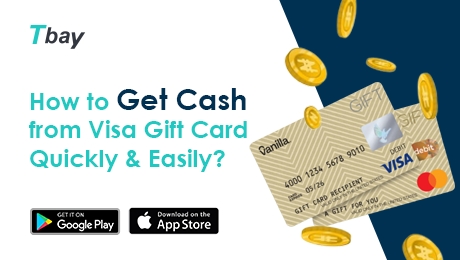
A Vanilla gift card is a prepaid Visa card loaded with a fixed amount of money.
Unlike an Amazon Gift Card, which is redeemed directly into your Amazon account balance, a Vanilla Visa gift card works more like a prepaid payment card. For online purchases, Vanilla instructs users to enter it as a credit or debit card.
Vanilla Visa gift cards are intended for eligible purchases within the United States and District of Columbia wherever Visa debit cards are accepted. They cannot be used at ATMs or for recurring billing.
Can You Use a Vanilla Gift Card on Amazon?
Yes, many eligible Vanilla Visa gift cards can be used on Amazon as prepaid Visa payment cards. Vanilla says its cards can be used for online purchases wherever eligible Visa debit cards are accepted within the United States and the District of Columbia.
The important point is that a Vanilla Visa gift card should generally be entered as a credit or debit card, not redeemed as an Amazon Gift Card.
Amazon allows customers to add credit and debit cards through Your Payments or during checkout.
Whether a specific Vanilla card works can depend on factors such as:
- Whether the physical card has been activated
- Available card balance
- Correct billing details
- Online transaction eligibility
- Geographic restrictions
- The type of Amazon transaction
What to Check Before Using a Vanilla Gift Card on Amazon
Before attempting an Amazon purchase, check the card's activation status, available balance, billing information, and transaction restrictions.
Activate Your Physical Vanilla Gift Card
Physical Vanilla Visa gift cards may need to be activated before use.
Vanilla currently allows physical cards to be activated through its official balance website or by calling the phone number printed on the card. You will need the gift card number, Valid Through date, and security code.
Vanilla Visa eGift Cards are different. According to Vanilla, they are activated when purchased and arrive ready to use.
Check Your Vanilla Gift Card Balance
Make sure the card contains enough money for the entire Amazon transaction, not just the listed item price.
You should account for:
- Product price
- Sales tax
- Shipping
- Any applicable authorization amount
Vanilla specifically recommends having a balance greater than the entire transaction amount, including taxes and shipping. It also notes that some transaction types can involve a temporary hold above the purchase amount.
You can check the current balance through Vanilla’s official balance checker or the customer-service number listed for your card.
Use the Correct Billing Information
Vanilla currently says there is no preset billing address attached to a Vanilla Visa gift card. When shopping online, users can enter their own name and address in the billing section.
This means the old advice that you always need to “register” the card with a billing address is no longer accurate for current Vanilla cards.
For more information, you can read our guide on Vanilla gift card billing addresses.
Check the Card's Geographic Restrictions
Current Vanilla Visa gift cards are intended for use within the United States and District of Columbia.
If you are attempting to use a U.S.-issued Vanilla card on another Amazon marketplace or for an international transaction, the payment may be declined.
Method 1: Add a Vanilla Gift Card as an Amazon Payment Method
The most direct way to use a Vanilla gift card on Amazon is to add it as a credit or debit card in your Amazon account.
Step 1: Sign In to Amazon
Open Amazon and sign in to the account you plan to use for the purchase.
Step 2: Open Your Payments
Go to Your Account → Your Payments.
Amazon's current help guidance states that users can manage cards and add new payment methods through this section.
Step 3: Select Add a Payment Method
Choose the option to add a new credit or debit card.
Do not try to redeem the Vanilla card as an Amazon Gift Card.
Step 4: Enter the Vanilla Card Details
Enter the information shown on the Vanilla Visa gift card, such as:
- Card number
- Valid Through date
- CVV or security code
- Name and billing address when requested
Vanilla specifically instructs users making online purchases to enter their gift card details in the same way they would enter a credit or debit card.
Step 5: Save the Payment Method
Follow Amazon's on-screen instructions to save the card.
Once added, you can select it when placing an eligible Amazon order.
Method 2: Use a Vanilla Gift Card During Amazon Checkout
You do not have to save your Vanilla gift card to Amazon in advance. You can also enter it when you reach the payment stage of checkout.
This is useful if you only plan to use the Vanilla card once.
How to Use a Vanilla Gift Card During Amazon Checkout
- Add the items you want to your Amazon cart.
- Proceed to checkout.
- Open the payment method section.
- Choose Add a credit or debit card.
- Enter the Vanilla Visa gift card details.
- Enter your billing information if requested.
- Review the total carefully.
- Submit the order.
Amazon confirms that customers can add a new credit or debit card directly from the checkout payment page.
Before confirming the payment, make sure the Vanilla gift card balance is sufficient for the whole order.
Can You Add Vanilla Gift Card Balance to Your Amazon Account?
Adding a Vanilla gift card as a payment method is not the same thing as redeeming an Amazon Gift Card.
A Vanilla Visa gift card contains prepaid funds on the Visa network. An Amazon Gift Card is an Amazon-specific product whose value is redeemed into an Amazon account balance.
The previous version of this article incorrectly suggested that entering a Vanilla card under Redeem a Gift Card would automatically convert its balance into Amazon Gift Card balance. A Vanilla card number is not an Amazon Gift Card claim code, so the two should not be treated as interchangeable.
You may encounter advice suggesting that a prepaid Visa card can be used to purchase or reload Amazon Gift Card balance. Whether that works can depend on Amazon's current transaction rules and the Vanilla card's restrictions, so it should not be treated as a guaranteed method.
For a normal Amazon purchase, adding the Vanilla Visa gift card as a credit or debit card is the clearer option.
Why Is My Vanilla Gift Card Not Working on Amazon?
A Vanilla gift card may be declined on Amazon because it is not activated, does not have enough available balance, contains incorrect details, is being used for a restricted transaction, or does not meet the requirements of the transaction.
The Physical Card Has Not Been Activated
If you have a physical Vanilla Visa gift card, confirm that it has been activated before trying again.
Vanilla says physical cards can be activated online or through the number printed on the card. eGift Cards arrive already activated.
The Balance Is Too Low
Check the available balance against the complete Amazon order total.
Vanilla recommends having enough funds to cover the purchase, taxes, and shipping. Some transaction types may also involve authorization holds, so attempting to spend the exact remaining balance can sometimes create problems.
You Selected “Gift Card” Instead of Credit or Debit
This is an important distinction.
Vanilla's official instructions say to choose Credit or Debit when shopping online and explicitly say not to select Gift Card.
The Card Details Are Incorrect
Check the:
- Card number
- Valid Through date
- CVV
- Billing information
Even a single incorrect digit may cause the payment authorization to fail.
The Billing Information Is Causing an Error
Current Vanilla guidance says to enter your own name and address if an online merchant asks for billing details.
If Amazon rejects the payment, confirm that the billing information is complete and correctly entered.
The Transaction Is Restricted
Vanilla Visa gift cards have usage limitations.
For example, Vanilla states that its gift cards cannot be used for recurring billing or ATM transactions. They are also intended for transactions within the United States and District of Columbia.
As a result, a card that works for a one-time Amazon purchase may not work for an Amazon subscription or recurring charge.
The Card's Valid Through Date Has Passed
Vanilla cards display a Valid Through date to facilitate transactions.
Vanilla states that the underlying funds do not expire, even though the card itself displays a date. If the date has passed and funds remain, contact Vanilla for assistance rather than assuming the money is lost.
Vanilla Gift Card vs. Amazon Gift Card
| Vanilla Gift Card | Amazon Gift Card |
|---|---|
| Prepaid Visa payment cardPrepaid Visa payment card | Amazon-specific gift card |
| Entered as a credit or debit card | Redeemed into Amazon Gift Card balance |
| Can be used at eligible merchants accepting Visa debit in its permitted region | Intended for eligible Amazon purchases |
| May have transaction and geographic restrictions | Subject to Amazon Gift Card rules |
| Cannot be used for recurring billing under Vanilla's current rules | Designed specifically for Amazon's ecosystem |
The main distinction is how the two cards are processed. A Vanilla gift card is a prepaid payment card, while an Amazon Gift Card becomes part of your Amazon Gift Card balance.
Can You Buy an Amazon Gift Card With a Vanilla Gift Card?
You should not assume that buying an Amazon Gift Card with a Vanilla Visa gift card will always work.
Although Vanilla cards can be used for many eligible online Visa transactions, merchants can impose their own restrictions on gift card and stored-value purchases.
If Amazon rejects the transaction, use the Vanilla card directly as a credit or debit payment method for an eligible product instead.
Can You Use a Vanilla Visa Gift Card for Amazon Prime?
A Vanilla Visa gift card is not designed for recurring billing.
Vanilla's current terms specifically state that its Visa gift cards may not be used for recurring payments.
Because Amazon Prime is generally a recurring subscription, you should not rely on a Vanilla gift card as the long-term payment method for Prime membership.
A card that works for an ordinary Amazon product purchase can still fail for a recurring subscription.
Can You Use Multiple Vanilla Gift Cards on Amazon?
Vanilla itself says individual Vanilla Visa gift card balances cannot be combined into one card. It notes that multiple gift cards may only be used for a purchase when the retailer permits it.
Amazon allows multiple cards to be saved in an account, but that does not necessarily mean a standard order can be split across several Vanilla cards.
If one Vanilla card cannot cover the order total, check the payment options shown at checkout rather than assuming you can combine several Vanilla balances.
What Other Gift Cards Can Be Used on Amazon?
Prepaid cards operating on networks such as Visa may potentially work as card payment methods when they meet the relevant transaction requirements.
However, a retailer-branded gift card and a network-branded prepaid card are not the same thing.
For example:
- Amazon Gift Cards are redeemed directly to Amazon.
- Vanilla Visa gift cards are treated as prepaid Visa payment cards.
- Other Visa or Mastercard gift cards may work as prepaid payment methods depending on their issuer rules.
Avoid assuming that any gift card from an unrelated retailer can be entered directly on Amazon simply because it has monetary value.
Prefer Cash Instead? Sell Your Vanilla Gift Card
If you do not want to use an unused Vanilla gift card on Amazon, another option is to check whether it can be traded for cash.
For users in Nigeria, Tbay supports gift card trading and lets users review available rates before submitting eligible cards.
You can also check Tbay's related content on Vanilla gift card rates in Naira before deciding whether to trade.
If your goal is simply to buy something from Amazon, trying the Vanilla card directly as a payment method is usually the more straightforward first step. If you would rather receive cash, check whether your particular Vanilla card is currently supported by Tbay.
Frequently Asked Questions
- Can I use a Vanilla gift card on Amazon?
- Many eligible Vanilla Visa gift cards can be used for Amazon purchases when processed as prepaid Visa cards. Vanilla says its cards can be used for eligible online Visa debit purchases within the United States and District of Columbia.
- How to add a Vanilla gift card to Amazon?
- Go to Your Account → Your Payments → Add a payment method, then enter the Vanilla gift card as a credit or debit card. You can also enter a new card during Amazon checkout.
- Why is my Vanilla gift card not working on Amazon?
- Common reasons include lack of activation, insufficient funds, incorrect card details, unsupported transactions, geographic restrictions, or billing information problems.
- Do I need to register my Vanilla gift card before using it on Amazon?
- Current Vanilla guidance says there is no preset billing address and no need to register the card. If an online purchase asks for billing information, Vanilla instructs users to enter their own name and address.
- How do I check my Vanilla gift card balance before using it on Amazon?
- Use Vanilla's official online balance checker or call the number listed on the card. You will need the gift card number, Valid Through date, and security code.
- Can I buy an Amazon Gift Card with a Vanilla gift card?
- It may work in some circumstances, but it should not be treated as guaranteed. Merchant rules and Vanilla card restrictions can affect gift card purchases.
- Can I use a Vanilla Visa gift card for Amazon Prime?
- Do not rely on it for a recurring Prime membership. Vanilla currently states that its Visa gift cards cannot be used for recurring billing.
- Can I use multiple Vanilla gift cards on Amazon?
- Vanilla cards themselves cannot be combined into one balance. Whether multiple cards can be applied to one purchase depends on the retailer's checkout rules.
Use Your Vanilla Gift Card on Amazon Carefully
Learning how to use a Vanilla gift card on Amazon mainly comes down to treating it as a prepaid Visa card rather than an Amazon Gift Card.
Activate a physical card if necessary, check the available balance, enter the card under Amazon's credit or debit card payment options, and make sure the balance can cover the full transaction. If the payment fails, check the card details, geographic restrictions, billing information, and transaction type before trying again.
If you would rather convert an unused Vanilla gift card into cash instead of spending it on Amazon, you can check whether Tbay currently supports your card and review the available rate before trading.
Join us now
Email: [email protected]
Website: https://tbay.store
Facebook: Tbay
Tbay App: Google Play Store & App Store