Apple gift cards are incredibly popular, not just for gifting others but also for buying apps, music, subscriptions, or even hardware from Apple’s ecosystem. But what happens when you excitedly scratch off the code, ready to redeem, only to be hit with an annoying error message?
Thousands of users face such Apple gift card redemption issues daily. Some of these problems have quick fixes, while others need a bit more troubleshooting. If you’ve ever wondered, "Why is my Apple card not working?" or "How do I fix an Apple Gift Card error?", you’ve come to the right place.
In this blog, we’ll break down the most common Apple card errors, explain why they happen, and provide step-by-step solutions to get your balance working ASAP. Let us start!
Apple Gift Card Errors You Might Face and How to Fix Them
1) Invalid Apple Gift Card Error
Few things are as frustrating as seeing the dreaded "Invalid Code" or "This Apple Gift Card Is Not Valid" error when trying to redeem your card. Your first thought might be that you've lost your money, but that's not true. In most cases, this error can be resolved with some simple checks.
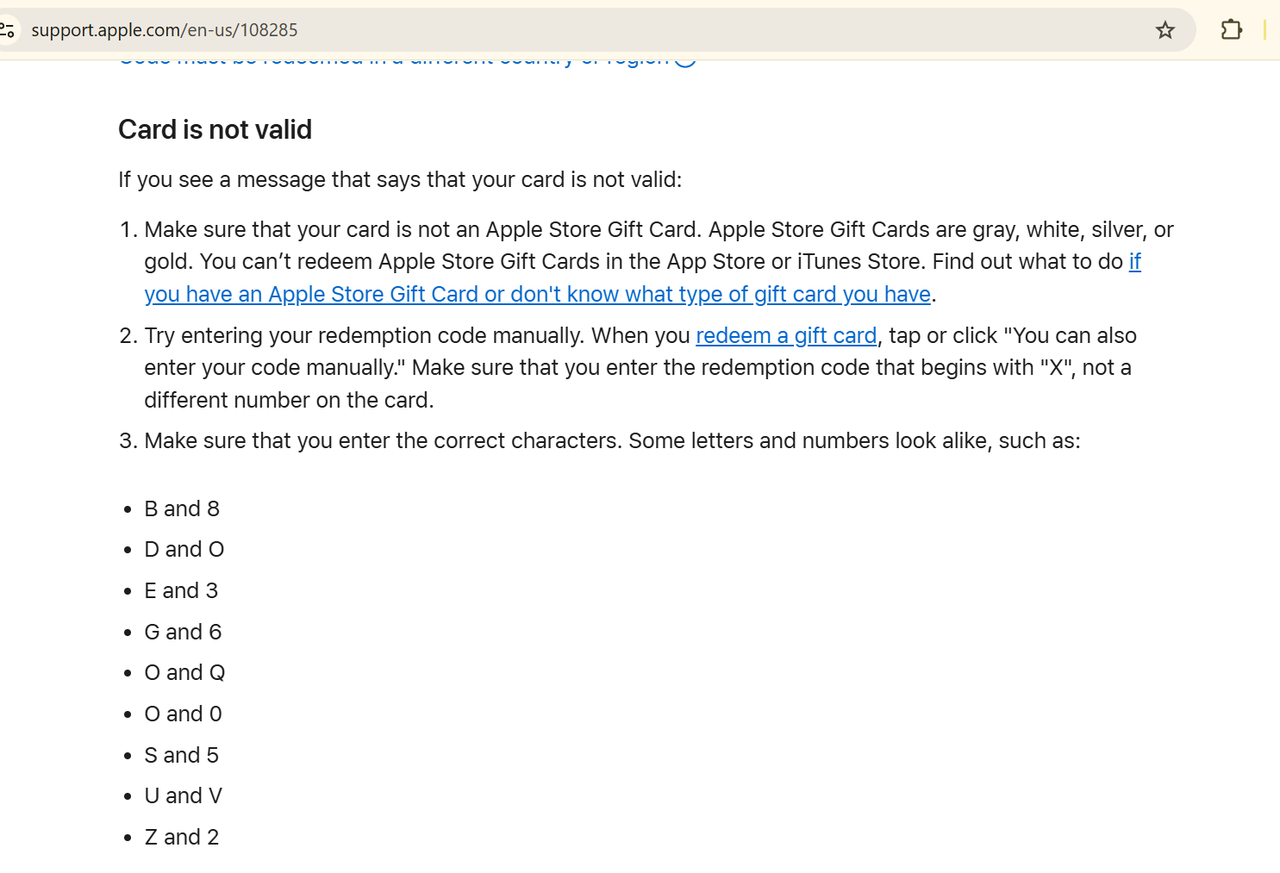
Why Does This Happen?
There are two primary reasons why your Apple Gift Card might show as invalid:
a) First, you may have entered the code incorrectly. It's easy to mix up similar-looking characters in the 16-digit code like '8' and 'B', or '0' and 'O'. The code is also case-sensitive, so ensure you're entering capital letters exactly as they appear.
b) Second, you might be trying to redeem the wrong type of card. Apple offers different gift cards, some work only for the App Store, iTunes, and Apple Music, while others can be used for Apple hardware purchases. Trying to redeem an Apple Store Gift Card in the App Store will trigger this invalid code error.
Step-by-Step Solution to Fix Invalid Code
If you see this error, you can first try carefully re-entering the code. You may also check for scratched-off or smudged characters and verify you're not confusing similar-looking numbers and letters.
Next, confirm what type of card you have. Physical cards will specify whether they're for the Apple Store or App Store/iTunes. If you're unsure, check with the retailer where you purchased the card.If you've double-checked the code and card type but still get the error, it's time to contact Apple Support. Have your receipt ready, as proof of purchase will help them resolve the issue faster.
2) Region Restrictions
One of the most common yet confusing Apple gift card errors occurs when you try to redeem a card purchased from another country. You'll typically see messages like "This code must be redeemed in a different country or region" or "Not valid in your current store". This happens because Apple gift cards are region-locked. What this means is that a card bought in the US can only be redeemed on a US Apple account, a UK card only on a UK account, and so on.
How to Fix It?
You have two practical solutions when facing this error:
a) First, you can change your Apple ID's country/region settings. You will have to:
Spend any existing account balance
Cancel active subscriptions
Provide a valid payment method for the new region
Update your billing address
***The important thing to remember is that this process requires careful steps, and you can only change regions once every 90 days.
b) Alternatively, if you've just purchased the card, your best option might be exchanging it with the retailer for a card valid in your region. If all else fails, you can sell your Apple gift cards for Naira on Tbay and use the cash to buy an Apple gift card that works in your region.
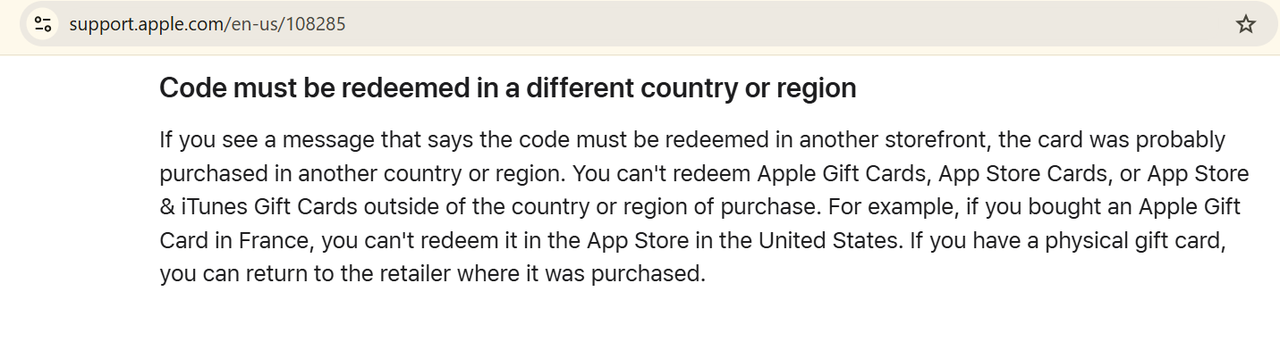
Important Considerations: Some people try to use VPN to redeem such an Apple gift card from any other region. VPNs won't bypass this restriction because Apple detects your account's registered country, not just your IP location.
3) Can't Redeem Code
The "Cannot Redeem This Code" error is another category of Apple gift card issues due to its non-specific nature.
Primary Causes of this Error
1) Sometimes technical factors can trigger this redemption error. There may be a temporary system outage that may result in this Apple gift card error.
2) The error may also indicate account-related restrictions. At times, Apple's automated fraud prevention systems can trigger temporary blocks on redemption attempts that show unusual patterns.
How to Fix This?
If you are unable to redeem your Apple card because of any of the above two reasons, your best bet is to wait for a while and try redeeming the card again. Most likely, the problem would have been resolved. You can also try redeeming your card through alternative platforms or through a different device. You can also try clearing the app cache.
If the problem continues after 24 hours, you must contact the store where you bought the card with your receipt. You can also reach Apple Support through their official website or app to report this issue.
4) Gift Card Not Activated
When you encounter the message "The gift card code you entered has not been properly activated", it typically means the card hasn't been fully processed for use.
Retailers must activate gift cards at the point of sale. If the cashier forgot this step, the card remains unusable. Digital gift cards purchased online may also show this error if there's a delay in the email delivery system or if the payment is still processing.
How to Fix It?
First, confirm with the retailer that the activation was completed. For physical cards purchased in-store, return to the store with your receipt, they can verify activation status in their system. If you bought the card online, check your email for a follow-up activation confirmation.
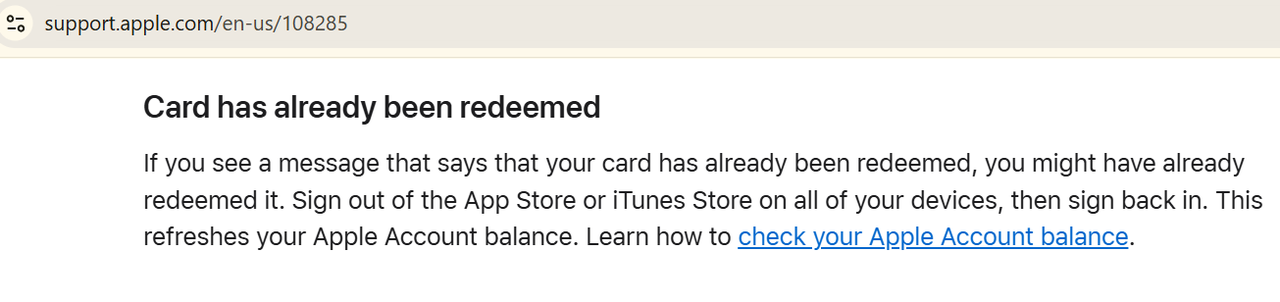
5) Already Redeemed Apple Gift Card
Getting an “Already Redeemed” message usually means the code has been used before. First, double-check the code for any typing errors. If the card is brand new and you haven’t redeemed it, it’s possible someone else accessed the code, especially if the packaging was tampered with. You can try checking the Apple gift card balance online.
In such cases, contact Apple Support immediately and provide your purchase receipt. They can investigate and help you recover the card’s balance if it hasn’t been used fraudulently.
Tips to Help You Avoid Apple Gift Card Errors
1) Only purchase Apple Gift Cards from Apple’s official website, Apple Stores, or trusted retailers. Avoid third-party sellers to prevent invalid or used codes.
2) Always check that the card’s protective coating is intact and the PIN isn’t exposed. If it looks scratched or tampered with, you should request a replacement.
3) Once you have purchased an Apple gift card, redeem it as soon as possible.
4) Always manually type the code instead of using autofill or camera scanning to avoid typos.
5) Apple Gift Cards are region-locked. Ensure your Apple ID’s country/region matches the card’s.
6) Save your receipt, email confirmation, or a photo of the physical card. If an error occurs, Apple Support may request proof of ownership.
7) Scammers often pose as Apple support and ask or your Apple card code. Never share your gift card code via email, calls, or messages as legitimate Apple representatives won’t ask for your code.
FAQs
1. What to do if an Apple gift card code is damaged?
If the code is damaged or unreadable, first thing to do: don’t panic! Contact Apple Support and share a clear image of the card, including the damaged area and proof of purchase. They can often help recover or replace the card.
2. What can cause an Apple gift card to be invalid?
An Apple gift card may show as invalid if the code is entered incorrectly, already redeemed, expired (for region-specific cards), or not activated at the point of sale.
3. Can Apple gift cards be refunded?
No, Apple gift cards are non-refundable once purchased. However, if you’ve received a defective card, Apple Support may assist depending on your situation and proof of purchase.
4. How do I redeem my Apple gift card if the code is scratched off?
If your code is scratched off and unreadable, take a clear photo of the damaged code area and your receipt, then contact Apple Support. They’ll verify the purchase and may issue a replacement or help you access the balance.
Join us now
Email: [email protected]
Website: https://tbay.store
Facebook: Tbay
Tbay App: Google Play Store & App Store